
Client users have read only access to dashboards and media plans. Client users cannot change the accounts settings or invite other users to join ClimbinSearch.
Client users have an all or nothing access. This means that a client user will access all your dashboards and media plans under a given account. You cannot restrict access to a specific dashboard or media plan for a client user.
To see the list of assigned clients for a given account, you must go to Settings –> General –> Client Users
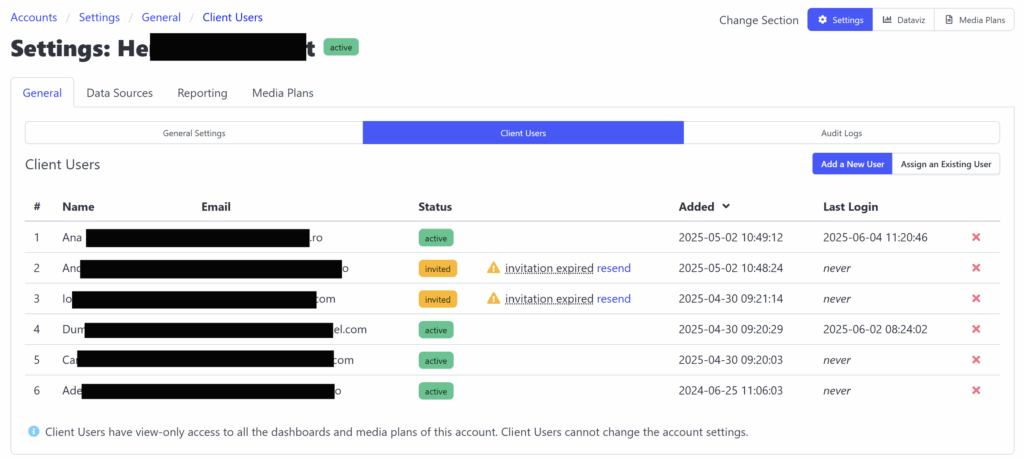
You can remove a client’s access to this account at anytime by using the “x” icon to the left of the table.
Also, you can resend the account activation invitation when it expired (it is valid for 3 days since it was sent).
When it comes to adding new clients to a given account, you have two options:
1) add a new client: this makes sense when you invite clients to join ClimbinSearch for the first time
2) assign an existing client: this is useful when you want to add an existing client to this account too